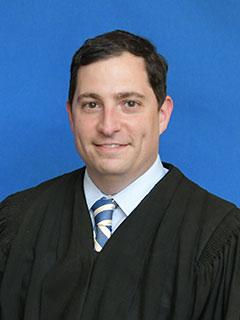
Judge John J. Parnofiello
Individual Rules, Standing Orders & Policies
- Rules last changed:

Limits & Logistics
Courtesy Copies
Courtesy copies
- Before Hearing
Pro Se filings
E Filed Document
Court-wideJoint Pretrial Statement
Court-wide
Adjournments
- Every continuance motion, including an agreed motion, must state the grounds and the requested duration or new date.
- Continuance motions are disfavored and may be granted only for good cause.
- A continuance motion must specifically state the basis and timing of the need, opposition, readiness actions and dates, and the proposed ready date and party agreement.
Request must include

Communication
Chambers
Clerk
Phone
Court-widePhone
Court-wideClerk
Phone
Court-wideDuty Judge
Document Format Requirements4 rules
All orders must be submitted in Word format through Online Services (OLS).
All proposed orders must be submitted in Word format through OLS or the Florida e-filing portal.
- File type
- Word
- Proposed order
Court's wording
In compliance with the Florida Supreme Court's Administrative Order (AOSC 19-74), all proposed orders must be submitted in Word format through the Online Services (OLS) system or the Florida e-filing portal.
All proposed orders must be submitted in Word format and provided to opposing counsel and any self-represented litigant.
- File type
- Word
- Proposed order
Courtesy copies can be submitted in PDF/a format, Word format or in three-hole punched binders printed on 8.5 x 11-inch paper.
Formatting
- •Word format
- •Three-hole punched binder
- •8.5 x 11-inch paper
Document Filing Requirements8 rules
Unless excused by the court in advance, all CMCs are mandatory for attorneys and self-represented litigants.
If the agreement of the parties is not provided the proposed order will not be signed.
Every notice of hearing must include the specified unmodified good-faith conference certification immediately above the signature block and identify the applicable certification.
- Document
- Notice of hearing
- Placement
- Signature block
Court's wording
All notices of hearing for matters scheduled for hearing shall set forth directly above the signature block, the below certifications without modification and shall designate with a check mark or other marking the specific certification which applies: "Counsel has conferred with all parties who may be affected by the relief sought in the motion in a good faith effort to resolve or narrow the issues raised."
Any request for a CMC or status conference must articulate the reasons for the necessity of the conference.
All notices of hearing must contain the Americans with Disabilities Act (ADA) notification required by Florida Rule of General Practice and Judicial Administration 2.540.
An emergency-hearing motion must detail the issues, reasons for emergency relief, and time needed for each party’s presentation.
Court's wording
If a party believes there is a factual basis for setting an emergency hearing, a detailed motion setting forth the following must be filed: (1) the issues to be resolved, (2) reasons why an emergency hearing is necessary, and (3) the amount of time needed for each party's presentation.
Requests to use communication technology for an appearance must be made by motion.
For those on Zoom: Please note: the lawyers/parties present in the courtroom will be addressed first.
Filing & Service rules
Electronic Filing Rules
Orders must be submitted in Word format through Online Services rather than email, although qualifying proposed agreed orders may instead be delivered to the Clerk's desk.
In compliance with the Florida Supreme Court's Administrative Order (AOSC 19-74), dated November 1, 2019 all orders shall be signed electronically by the Court. Division R will no longer accept orders submitted via email. All orders must be submitted in Word format through Online Services (OLS). Proposed agreed orders which show the agreement on the face of the order (in writing) may be dropped in the bin in the courtroom at the Clerk's desk.
Page 1 | Procedure for Submitting Proposed Orders
Proposed orders for matters not on the docket must be submitted through OLS.
Proposed orders for matters not on the docket shall be submitted through Online Services (OLS).
Page 1 | D. Submission of Orders and Judgments
Attorneys and self-represented litigants must provide an email address for electronic receipt of signed orders unless excused.
All attorneys and self-represented litigants must provide an e-mail address to receive signed orders electronically, unless excused.
Page 1 | A. Communications with the Judicial Office
Filing Timing and Cure Windows
An objection to the use of communication technology must be filed no later than three days.
Any objection to the use of communication technology must be filed no later than 3 days.
Page 1 | C. Remote Appearance
Authority not cited in the motion must be provided to the CAD at least 72 hours before the hearing.
Any relevant authority not cited in the motion shall be provided to the CAD no less than 72 hours prior to the hearing.
Page 1 | B. Scheduling Procedures
All hearing materials must be received by the court at least two business days before the hearing.
The court must receive all materials for the hearing no later than 2 business days before the hearing.
Page 1 | B. Scheduling Procedures
Interpreter requests must be received seven days before the scheduled proceeding.
All requests must be received 7 days in advance of the scheduled proceeding.
Page 1 | J. Other Division Procedures
Proposed orders must be submitted no later than three days after the hearing.
Proposed orders must be submitted no later than 3 days after any hearing.
Page 1 | D. Submission of Orders and Judgments
A hearing cancellation requires immediate notice to the judicial assistant and immediate filing and service of a cancellation notice on opposing counsel and any self-represented litigant.
You must cancel hearings by notifying the judicial assistant immediately. You must also immediately file and serve a notice of cancellation on opposing counsel and any self-represented litigant.
Page 1 | B. Scheduling Procedures
A notice of hearing must be filed and served immediately after the hearing time is reserved.
A notice of hearing must be filed and served immediately after reserving hearing time.
Page 1 | B. Scheduling Procedures
Remote-appearance requests must be submitted five days before the hearing.
Requests for remote appearance must be submitted insert 5 days prior to the hearing.
Page 1 | C. Remote Appearance
Courtroom media requests should be made no later than 24 hours before the first day of trial.
Requests should be made no later than 24 hours prior to the first day of trial.
Page 1 | J. Other Division Procedures
Service and Proof of Service Rules
Attorneys and self-represented litigants must make and receive service by email through the Florida Courts E-Filing Portal unless excused.
All attorneys and self-represented litigants must make and receive service by e-mail, which is generally through the Florida Courts E-Filing Portal, unless excused.
Page 1 | A. Communications with the Judicial Office
Courtesy Copy Requirements
Courtesy copies must be submitted to the court by email at the dedicated division address.
Courtesy copies must be submitted to the court by e-mail to CAD-DivisionR@pbcgov.org.
Page 1 | E. Courtesy Copies of Case Law and Other Documents
Courtesy copies must be submitted to the court no later than three days before a hearing or trial.
Courtesy copies must be submitted to the court no later than 3 days before any hearing or trial.
Page 1 | E. Courtesy Copies of Case Law and Other Documents
Courtesy copies of the specified documents must be submitted for every hearing or trial.
Courtesy copies of Insert Types of Documents must be submitted to the court for any hearing or trial.
Page 1 | E. Courtesy Copies of Case Law and Other Documents
Self-represented litigants excused from email service may submit courtesy copies by U.S. mail or hand delivery to the judicial office.
Self-represented litigants excused from e-mail service may submit courtesy copies to the court by U.S. mail or hand-delivery to the judicial office.
Page 1 | E. Courtesy Copies of Case Law and Other Documents
Pre-Motion Conference Requirements
Every motion must be filed with the Clerk of Court before requesting a hearing date from the Judicial Assistant.
All motions must be filed with the Clerk of Court prior to contacting the Judicial Assistant for a hearing date.
Page 1 | B. Scheduling Procedures
Adjournment & Extension Requirements
A continuance motion must specifically state the basis and timing of the need, opposition, readiness actions and dates, and the proposed ready date and party agreement.
Motions for continuance must state with specificity: (1) the basis of the need for the continuance, including when the basis became known to the movant; (2) whether the motion is opposed; (3) the action and specific dates for the action that will enable the movant to be ready, including, but not limited to, confirming the specific date any required participants are available; and (4) the proposed date by which the case will be ready to proceed and whether that date is agreed by all parties.
Page 1 | B. Scheduling Procedures
Every continuance motion, including an agreed motion, must state the grounds and the requested duration or new date.
Any motions for continuance including agreed motions must contain the grounds for the continuance and the length of time requested and/or new date being requested.
Page 1 | B. Scheduling Procedures
Continuance motions are disfavored and may be granted only for good cause.
Motions for continuance are disfavored and will be granted only upon good cause shown.
Page 1 | B. Scheduling Procedures
Chambers Communication Rules
All hearings must be scheduled by emailing the Judicial Assistant.
All hearings must be set by emailing the Judicial Assistant at CAD-DivisionR@pbcgov.org.
Page 1 | B. Scheduling Procedures
All parties must be copied on emails directed to the judicial office unless an ex parte communication is authorized by law.
All parties must be copied on any e-mail directed to the judicial office, unless an ex parte communication is authorized by law.
Page 1 | A. Communications with the Judicial Office
Email communications with the Judicial Assistant are limited to scheduling matters, and ex parte communications are not considered.
Email communications with the Judicial Assistant are limited to scheduling matters only. Ex-parte communications will not be considered.
Page 1 | A. Communications with the Judicial Office
The court will not consider unsolicited communications from non-parties.
Unsolicited communications from non-parties will not be considered by the court.
Page 1 | A. Communications with the Judicial Office
Communications to the judicial office must be emailed to the dedicated division account, and the subject line must identify the case number, case name, and relevant matter.
All communications to the judicial office must be submitted by e-mail to CAD-DivisionR@pbcgov.org, the dedicated division e-mail account. The subject line of any e-mail to the judicial office must contain the case number, case name, and relevant matter(e.g., 2024 DR 001234 SC – Doe v. Doe – 2-Hour Hearing Requested).
Page 1 | A. Communications with the Judicial Office
Self-represented litigants and attorneys excused from email service may contact the judicial office by telephone, but the judicial office does not accept text messages.
Self-represented litigants and attorneys excused from e-mail service may communicate with the judicial office by telephone call to insert judicial telephone. The judicial office does not accept text messages
Page 1 | A. Communications with the Judicial Office
A party needing an ADA accommodation must contact the ADA Coordinator.
If you need an ADA accommodation, please contact the ADA Coordinator.
Page 1 | J. Other Division Procedures
The Judicial Assistant is best contacted by email at CAD-DivisionR@pbcgov.org.
The best way to contact the Judicial Assistant is via email at CAD-DivisionR@pbcgov.org
Page 1 | R Divisional News
Parties seeking a nonessential Zoom hearing must contact the Judicial Assistant to schedule it.
Please contact the Judicial Assistant to schedule a hearing.
Page 1 | Zoom Hearings
The judicial assistant aims to substantively respond to inquiries within one business day.
The judicial assistant strives to substantively respond to all inquiries within one business day.
Page 1 | A. Communications with the Judicial Office