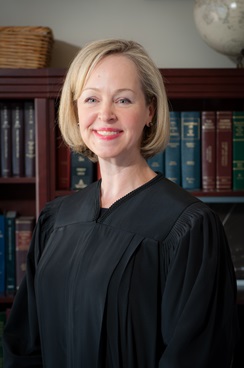
Judge Melinda Young
Individual Rules, Standing Orders & Policies

Limits & Logistics
Courtesy Copies
Deposition Designations
Court-wide- As Directed in Pretrial Order
Filings >= 500 pages
Court-wide- Hand Delivery

Communication
Chambers
Phone
Chambers
Document Format Requirements6 rules
Video must remain on for the entire Zoom hearing; anonymous attendance is not permitted.
Formatting
- •Video must remain on for entire Zoom hearing; no anonymous attendance
Court's wording
All participants must keep their video on for the entire time they are logged onto the Zoom meeting. Washington Courts are presumed to be open, and this extends to Zoom hearings. The court cannot permit individuals to attend court anonymously.
No one is authorized to record the proceedings by any means without prior permission from the court.
Formatting
- •No recording of proceedings by any means without prior court permission
Ensure that you have video and audio capability enabled for the meeting.
Formatting
- •Video and audio capability must be enabled for Zoom hearings
All participants should join the Zoom meeting using their first and last name. The bailiff will use the chat feature to attempt to identify anyone not logged on using a legal first and last name. The court may decline to admit anyone who does not meet this requirement or engage via chat.
Participants must avoid distracting conduct or environments during Zoom hearings (public spaces, driving, walking, background activity).
Formatting
- •No distracting conduct or environments during Zoom hearings
Court's wording
This includes being in a public space while on Zoom, driving while on Zoom, walking while on Zoom, having people in and out of the background of the Zoom, or otherwise doing anything that would be distracting to the court or the parties while on Zoom.
Please mute yourself when you are not actively speaking.
Formatting
- •Mute when not actively speaking
Document Filing Requirements1 rule
If a party would like to request oral argument, the motion should be noted pursuant to the applicable court rules, noting in the upper right-hand corner of the working papers and on the note for motion “Oral Argument Requested.”
- Document
- Motion
Should include
- •Oral Argument Requested
Filing & Service rules
Electronic Filing Rules
Judge Young’s court is paperless. Please use the Clerk’s Office e-working copies service to submit working copies or provide a file sharing link via email. If neither of these methods are available to you, please submit your working copies on a flash drive or CD delivered to the Judges’ Mailroom, C-203, with Judge Young’s name and the case information clearly marked. If you are unable to use any of the methods listed above, please email the bailiff to make alternative arrangements.
Judge Young’s court is paperless. Please use the Clerk’s Office e-working copies service to submit working copies or provide a file sharing link via email. If neither of these methods are available to you, please submit your working copies on a flash drive or CD delivered to the Judges’ Mailroom, C-203, with Judge Young’s name and the case information clearly marked. If you are unable to use any of the methods listed above, please email the bailiff to make alternative arrangements.
Page 1 | Working copies
Filing Timing and Cure Windows
Participants must log on promptly; late attendees may not be admitted to the Zoom hearing.
Log on promptly at the time of your scheduled hearing. Late attendees may not be admitted into the Zoom meeting.
Page 1 | Zoom Protocols for Civil Hearings in Judge Young's Court
Pre-Motion Conference Requirements
Parties should confer with opposing counsel before confirming a hearing date to ensure it is mutually agreeable.
Judge Young requests that you confer with the opposing counsel/party, if possible, before confirming any hearing to make sure that the date is mutually agreeable.
Page 1 | Hearing requests
Chambers Communication Rules
Zoom links may not be forwarded without explicit court permission.
Do not forward the Zoom link without explicit permission from the court.
Page 1 | Zoom Protocols for Civil Hearings in Judge Young's Court
Civil hearings are typically via Zoom; in-person appearance requires advance email notice to the court.
Civil hearings in Department 6 are typically conducted via Zoom. If you prefer to appear in person, please notify the court by email in advance so that all parties can be afforded the same opportunity.
Page 1 | Zoom Protocols for Civil Hearings in Judge Young's Court
Hearing date requests for dispositive motions must be emailed to the court with case number/name and nature of the motion.
Dispositive motions are heard on Fridays. Any request for a hearing date must be emailed to the court and include the case number/name and the nature of the motion.
Page 1 | Hearing requests
The court must be notified immediately of settlement or motion strike.
Please notify the court immediately if your case settles or you need to strike a motion.
Page 1 | Working copies
Wedding availability and fees inquiries should be made by phone or email to the bailiff.
Please call 206-477-1361 or email the bailiff at young.court@kingcounty.gov for availability and fees.
Page 1 | Weddings
The court typically allots one hour for dispositive motions. Additional time may be provided on hearings involving multiple parties or complex motions. Please advise the bailiff if additional time is being requested.
The court typically allots one hour for dispositive motions. Additional time may be provided on hearings involving multiple parties or complex motions. Please advise the bailiff if additional time is being requested.
Page 1 | Hearing requests