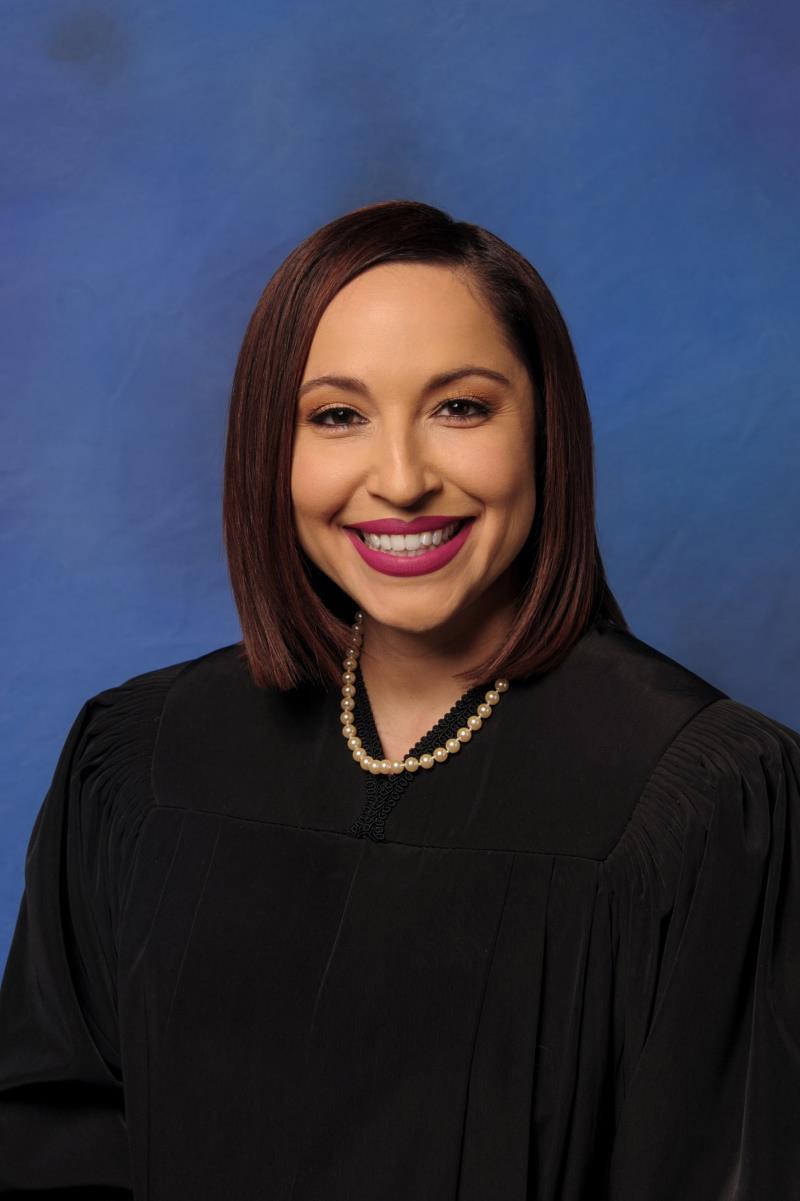
Judge Monica Trujillo
Individual Rules, Standing Orders & Policies
- Rules last changed:

Limits & Logistics
Courtesy Copies
Exhibits
- 2 copies • At Least Three Judicial Days Prior to Trial
Powerpoint Presentation

Communication
Clerk
Clerk
Chambers
Phone
Clerk
Phone
Document Format Requirements5 rules
Only one photograph may appear per page and each must be identified separately (e.g., 7-a, 7-b, 7-c), unless counsel stipulate to combining photographs.
- Photographs
Formatting
- •Only one photograph per page
- •Multiple photographs may be combined on one sheet only if counsel stipulate
Court's wording
PHOTOGRAPHS: only one (1) photograph per page. These MUST be identified separately. In general, please DO NOT place multiple photographs on one sheet as it causes issues with admission. For example, if exhibit 7 consists of 3 photos, label them 7-a, 7-b, and 7-c. However, if counsel stipulate, multiple photographs could be combined.
Exhibits are to be bound in a binder, designated by numbers, and separated by tabs.
- Binding
- Tabbed binder
- Exhibits
Formatting
- •Exhibits designated by numbers
- •Exhibits separated by tabs
Plaintiff’s Exhibits: Numbered (1 – ? ) Defendant’s Exhibits: Lettered (A – Z) *EXCEPTION: IF THERE ARE NUMEROUS EXHIBITS (Requiring lettering past Deft’s Z) or IF THERE ARE MULTIPLE PARTIES. (See above #6) Joint Exhibits: Numbered (J1 - ?)
Formatting
- •Plaintiff's exhibits: numbered (1 up)
- •Defendant's exhibits: lettered (A-Z)
- •Joint exhibits: numbered (J1 up)
If submitting exhibits individually – a set from Plaintiff and another from Defense – please coordinate and use pre-designated numbers. For example, Plaintiff could choose exhibit numbers 1-100; Defense, 101-200. Please also allow sufficient numbers in the range for late additions. Please also coordinate to remove duplicate exhibits.
- Exhibits
Formatting
- •Coordinate to remove duplicate exhibits
District Court Department 3 will accept electronic signatures on any document from legal counsel only. If using an electronic signature from opposing counsel follow the guidelines in Administrative Order 22-07.
Document Filing Requirements6 rules
Each exhibit presented to the Clerk will be marked as a “Proposed” Exhibit and counsel are to refer to it as such until such time as it is allowed to be admitted.
- Document
- Exhibits
Include
- •Proposed Exhibit
Exhibits MUST have a cover sheet listing exhibit descriptions (attached on website)
For contested orders in District Court Department 3, both parties must submit their "Proposed Order" to chambers and the Judge will make a ruling on an Order.
- Document
- Contested order
Must include
- •Proposed order
A small copy of a demonstrative item must be provided to be admitted, and any larger version to go to the jury must be separately marked and admitted (e.g., Exhibit 1 and 1A).
Court's wording
These are not marked as exhibits and a small copy of such must be provided to be admitted, the large exhibits do not go to the jury or the vault. However, if counsel wants a larger version of an exhibit to go to the jury, it must be marked separately and admitted. (Ex. Small version should be marked as Exhibit 1 and the larger version should be marked 1A.)
Demonstrative items shown at trial may be marked as Court's Exhibits but are not admitted and do not go to the jury; on objection they may be marked and kept for the record.
Court's wording
If a “demonstrative item” is shown during trial, it or a photograph of it may be marked as a Court’s Exhibit if requested, but it will not be treated as an admitted exhibit and will not be sent back for jury deliberation. Also, if there is an objection regarding a demonstrative exhibit, counsel may make a record and have the item or a photograph of it marked and kept for the record.
Depositions Transcripts are not marked, nor admitted as exhibits. However, sealed original depositions should be delivered with the exhibits for the purpose of being filed and published if they are used during trial. Unused Depositions will be returned to counsel.
Filing & Service rules
Electronic Filing Rules
Department 3 uses Zoom for telephonic/remote appearances and no notice needs to be filed in Odyssey.
Department 3 uses Zoom. A notice does not need to be filed in Odyssey.
Page 1 | Telephonic appearance request
Filing Timing and Cure Windows
Proposed orders must be submitted to chambers within ten days of notification of the ruling under EDCR 7.21.
Department 3 requires proposed orders to be submitted to chambers within ten (10) days of notification of the ruling, pursuant to EDCR 7.21.
Page 1 | Submission of Orders
Requests for daily trial transcripts must be submitted at least ten days before the start of trial.
To request daily trial transcripts please submit request at least ten (10) days prior to the start of the trial.
Page 1 | Court Reporter or a Court Recorder for its official record
Courtesy Copy Requirements
Two sets of exhibits (one for the Judge/Clerk and one for the Witness) must be delivered to the Court Clerk at least three judicial days before trial, including depositions.
Provide two sets (one set for the Judge/Clerk and one for the Witness). Counsel should arrange delivery of exhibits to the Court Clerk at least three (3) judicial days prior to trial (this includes depositions; please see below).
Page 1 | General Exhibit Information
A hard copy of any PowerPoint presentation must be provided to the Court.
POWERPOINT PRESENTATION: Please provide a hard copy to the Court.
Page 1 | PowerPoint Presentation
Sealing & Redaction Procedures
Social Security and account numbers must be redacted from exhibits before submission.
Social Security and account numbers MUST BE REDACTED from the exhibits prior to submission.
Page 1 | General Exhibit Information
Filing Bundling Requirements
A joint exhibit set combining the parties' exhibits is highly encouraged.
Joint exhibit set is highly encouraged.
Page 1 | General Exhibit Information
Chambers Communication Rules
Counsel anticipating the need for trial audio visual equipment must submit a request to the District Court Help Desk following the calendar call (702-671-3300 or courthelpdesk@clarkcountycourts.us).
If counsel anticipates the need for audio visual equipment during the trial, a request must be submitted to the District Court Help Desk following the calendar call. You can reach the District Court Help Desk for AV support at 702-671-3300 or via E-Mail at courthelpdesk@clarkcountycourts.us
Page 1 | Audio Visual Equipment
Counsel is asked to notify the Court Recorder at least two (2) weeks in advance if they are going to require daily copies of the transcripts of this trial. Failure to do so may result in a delay in the production of the transcripts. You should email the request to Court Recorder, Grecia Snow at snowg@clarkcountycourts.us.
Counsel is asked to notify the Court Recorder at least two (2) weeks in advance if they are going to require daily copies of the transcripts of this trial. Failure to do so may result in a delay in the production of the transcripts. You should email the request to Court Recorder, Grecia Snow at snowg@clarkcountycourts.us.
Page 1 | Requesting Daily Copies of Transcripts
Questions should be directed to Court Clerk Sandra Castillo by phone (702-671-0695; 702-601-0725) or email (castilloS@clarkcountycourt.us).
Should you have any questions, please contact: Court Clerk: Sandra Castillo Phone: 702-671-0695; 702-601-0725 Email: castilloS@clarkcountycourt.us
Page 1 | General
Orders for Transcript must be submitted by email to DC3inbox@clarkcountycourts.us for the judge's signature.
Please submit the Order for Transcript to DC3inbox@clarkcountycourts.us for judge's signature.
Page 1 | Court Reporter or a Court Recorder for its official record