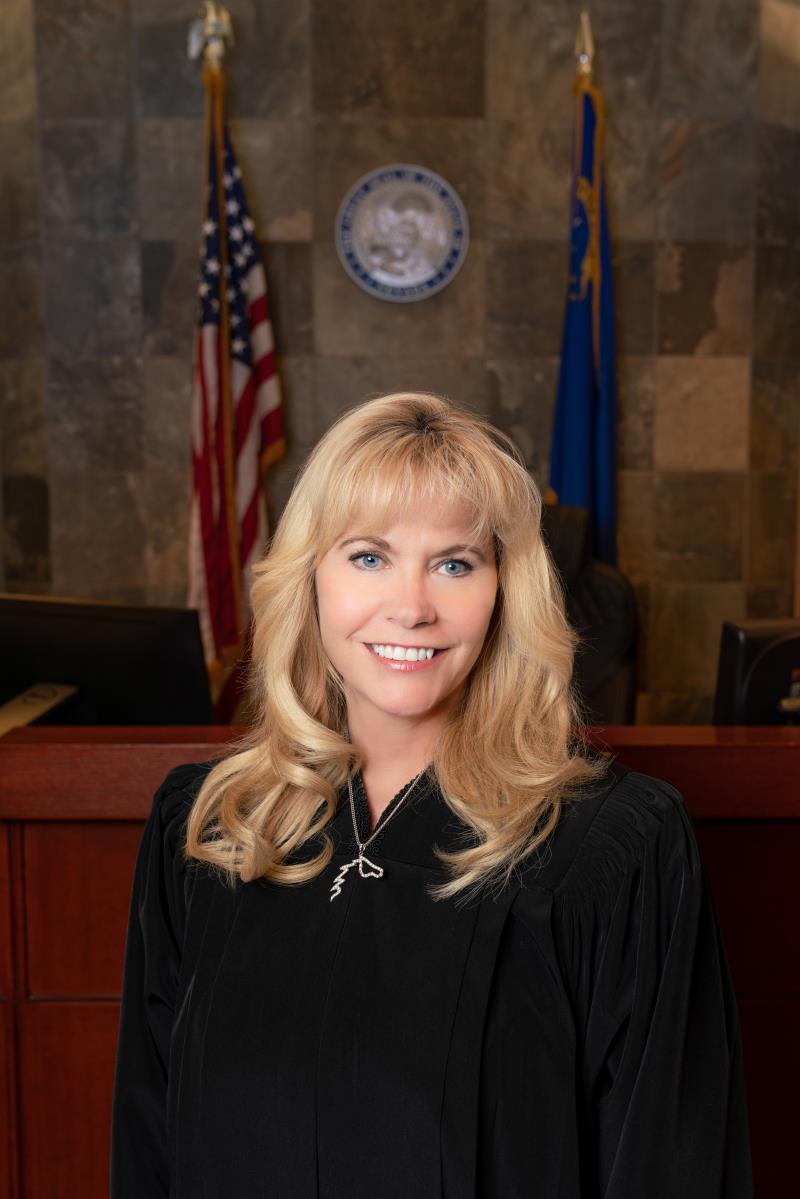
Judge Crystal Eller
Individual Rules, Standing Orders & Policies
- Rules last changed:

Limits & Logistics
Courtesy Copies
Motion in Limine, Motion to Dismiss, Motion for Summary Judgment
- At Least One Week Prior to Scheduled Hearing
Exhibits
Court-wide- 3 copies

Communication
Clerk8 contacts
- clinea@
clarkcountycourts.us - courthelpdesk@
clarkcountycourts.us - sivongsas@
clarkcountycourts.us - howardm@
clarkcountycourts.us - dept19lc@
clarkcountycourts.us - milhousk@
clarkcountycourts.us
Show 2 moreShow fewer
Chambers3 contacts
Document Format Requirements22 rules
TWO drives per set of exhibits (2 drives of the Joint Exhibits, 2 drives of Plaintiffs, 2 drives of the Defendants) Drive 1 - “Golden Drive”: exhibits in pdf format + the exhibit list Drive 2 - “Working Drive”: exhibits in pdf format, no exhibit list
- File type
- Electronic exhibits
Photographs should be identified separately. ONE PHOTOGRAPH PER PAGE is required.
- Photographs
Formatting
- •One photograph per page is required
Submit THREE (3) SETS of exhibits in BINDERS no larger than three (3) inches, separated by tabs.
- Binding
- Tabbed binder
- Exhibits
Formatting
- •Submit three (3) sets of exhibits
- •Exhibits separated by tabs
Electronic exhibits cannot be admitted in portions. If an exhibit is hundreds or thousands of pages long, and you wish to move into evidence only a select few, please designate that group as a separate exhibit.
Please note, section 4 of the Protocol Regarding Electronic Exhibits instructs as follows, “The file name for each proposed electronic exhibit shall be numerical, i.e. 1047.pdf”.
- File type
- Electronic exhibits
Counsel is required to mark each exhibit with a “proposed” label prior to the start of trial. The proposed sticker should be placed on the back of the first page on the lower left corner. (should not be covering any material)
- Exhibits
Formatting
- •Sticker must not cover any material
All exhibits must be Bates stamped.
No leading zeroes in the file names of the pdf nor on the exhibit list. Exhibits are to be named with only the <number>.<file extension>. For example, (12345.pdf)
- Electronic exhibits
- Exhibit list
Formatting
- •Exhibits named with only <number>.<file extension> (e.g., 12345.pdf)
Copies must be compiled into a single 3-Ring binder, in Motion/Opposition/Reply format, with tabbed exhibits, and a Table of Contents.
- Binding
- Three-ring binder
Formatting
- •Single binder only
- •Organized in Motion/Opposition/Reply format
- •Tabbed exhibits required
- •Table of Contents required
The courtrooms are NOT equipped with adaptors for newer computers. Please bring the appropriate adaptor to convert your computer video to VGA.
If you find it necessary to play a DVD or CD please bring with you the laptop that has previously played your disc to ensure you have the correct software in which to play it in the courtroom.
Depositions are neither marked nor admitted as exhibits; however, original, unopened depositions may be provided and “published” when used in Court.
Stipulated exhibits will be admitted for all purposes and marked and recorded as such. Joint exhibits should be numbered as follows: J01, J02, J03, etc.
- Joint exhibits
Formatting
- •Joint exhibits must be numbered J01, J02, J03, etc.
Two sets of a printed copy of the exhibit list– please print in easily readable font.
- Exhibit list
Formatting
- •Printed in easily readable font
All paper exhibits should be single sided.
- Paper exhibits
Formatting
- •Paper exhibits must be single sided
The drives should NOT have any subfolders.
Formatting
- •Drives must not have any subfolders
Plaintiffs to use numbers and Defendants to use letters. If ample amount of exhibits, please coordinate with the Court Clerk for set of block numbers (i.e Plaintiff 1-500, Defense 501-1000).
- Exhibits
Formatting
- •Plaintiffs use numbers for exhibits
- •Defendants use letters for exhibits
Excel document should be converted to PDF or submitted separately. Videos should also be submitted separately.
- File type
Each set will be distributed in the courtroom as follows: one set for the witness stand, one set for the Judge, and one set for the Courtroom Clerk. The set of exhibits maintained by the Courtroom Clerk will be designated as the originals.
- Exhibits
Formatting
- •One set for the witness stand
- •One set for the Judge
- •One set for the Courtroom Clerk
Larger versions of exhibits may be used as demonstrative exhibits. These are generally not marked as exhibits, do not go to the Jury, and will be returned to submitting counsel.
District Court Department XIX accepts electronic signatures on any document, pursuant to the requirements of Administrative Orders (AO) 20-17 and 20-24.
Document Filing Requirements18 rules
Prior to the start of trial, both parties must stipulate to each witness that wishes to appear by video conferencing. Once stipulated, proceed to 2. OR: Prior to the start of trial, parties must receive approval from the judge to have each witness appear by video conferencing.
Please complete the form, sign it and return it to the Court Recorder prior to the beginning of your hearing or trial (the form can be handed to the Court Recorder the day your matter is heard or on the first day when trial begins).
Daily transcripts by a privately secured Court Reporter require prior approval from the Judge, are at the party's expense, and are not the official Court record.
Court's wording
Option #1: You must have preapproval by the Judge to have a Court Reporter present in court. You will secure your own Court Reporter to type daily transcripts during trial. You will be responsible for all fees associated with the Court Reporter. Daily transcripts produced by the Court Reporter are for your use only during trial. These transcripts will not be considered the official Court record.
One week prior to start of trial you must submit an ATEAR form to the JEA in Department 19. The form is available on the County website here (select: Audio/Visual Appearance Request Instructions) or contact the Court Recorder for a copy.
Before using any recording clips during a hearing or trial, the party must state on the record that clips will be shown.
Court's wording
However, the information obtained from the CDs may be utilized for your use during your hearing/trial (including recording clips), but you must put on the record that you will be showing any clips prior to using them.
JURY TRIAL ONLY: Parties will need to provide an additional BLANK THUMB DRIVE. Also, the side offering electronic exhibits is to provide a blank laptop for the jury to view the exhibits. (Section 9 & 12 of the attached Protocol Regarding Electronic Exhibits)
The exhibits list should reflect the exhibits exactly as they are labeled in the thumb drives (ex. 537.pdf, 538.pdf, 539.pdf).
Include one (1) exhibit list in each binder containing the following information: a short description of each exhibit with a minimum of three (3) columns on the right-hand side labeled “Offered,” “Objection,” and “Admitted.”
Any and all requests for OSTs must have a courtesy copy of the Motion/Application attached. Requests for OST must contain proposed dates and a detailed explanation for the request.
All stipulations and orders for dismissal must comply with EDCR 2.75 or they will be returned.
Proposed orders will not be signed unless the "IT IS SO ORDERED" language and the Judge's signature line appear on a page containing the substance of the order (or at least two lines of stipulation text, or a page with some signatures plus the case number/name when multiple signatures make that impossible).
- Document
- Proposed order
- Placement
- Signature block
Court's wording
The proposed Order will not be signed if the "IT IS SO ORDERED" language and signature line are on a separate page from the content of the Order. The signature line must be on a page describing what the Judge is ordering. Alternatively, the Judge's signature line may be on the same page as the other signatures provided that there are at least two lines of text from the stipulation. The only exception is if there are multiple signatures, and it is not possible for the party to put the Judge's signature with two lines of text, in which case the parties need to ensure the Judge's signature is at least on a page with some of the signatures, and the case number/name of the document is included on the page to be signed.
When submitting a Stipulation and Order to Extend Discovery and Trial, the Order must contain the following Deadlines/Dates (leave blank or call the department for correct dates):
Ex parte applications for a TRO shall be presented to the Court to be resolved in chambers. The applicant must, by affidavit, show adequate advance notice to the other side or an appropriate exception in accordance with NRCP 65(b). Further, applicants should be aware of, and prepared to deposit with the Clerk of the Court, any required bond, as determined by the Court.
Further, Dept. XIX limits motions in limine to ten (10) per side. If a party cannot negotiate matters (pursuant to EDCR 2.47(b)), and feels further motions are necessary, the Court will entertain a properly filed and served motion showing good cause for the additional filings.
Any order that is inconsistent with the oral ruling of the Court or the Court Minutes will be returned unsigned for correction, or will be corrected via interlineation. Counsel should notify the Court of any perceived error in the Court Minutes by Motion pursuant to NRCP 60(a).
Pursuant to EDCR 2.20, Department XIX may grant certain unopposed motions in advance by submitting an order to the department inbox (DC19Inbox@clarkcountycourts.us). Unless otherwise ordered, an order granting an unopposed motion must not include findings of fact or conclusions of law.
Please discuss with opposing counsel and check which billing process you will use to pay the recording fee of $40 (NRS 3.370) per hour for the trial/hearing:
On the ATEAR form, the witness appearance should be scheduled within a four to five hour timeframe, or longer if extended testimony, multiple days, or possible rebuttal recall is anticipated.
Court's wording
When completing the form please keep in mind that you should schedule your witness to appear within a four to five hour timeframe or longer if you know it will take longer for the witness to be on the stand, possible multiple days of questioning, or of the possibility that a witness will be recalled as a rebuttal witness.
Filing & Service rules
Filing Timing and Cure Windows
Opposition to a video conferencing request must be made in writing within two (2) judicial days of service of the request.
Opposing counsel will have an opportunity to oppose this request. Opposition to the request must be made in writing within two (2) judicial days of service of this request.
Page 1 | BLUE JEANS – VIDEO CONFERENCING
The ATEAR form for video conferencing must be submitted to the JEA in Department 19 one week before the start of trial.
One week prior to start of trial you must submit an ATEAR form to the JEA in Department 19.
Page 1 | BLUE JEANS – VIDEO CONFERENCING
Parties must allow a minimum of two weeks before the Calendar Check hearing for validation of electronic exhibit drives.
Additionally, please allow for ample time (a minimum of two weeks) to validate the drives prior to the Calendar Check hearing with the Court.
Page 1 | ELECTRONIC EXHIBITS
The prevailing party must prepare the proposed order and submit it to the department inbox within ten (10) days of notification of the ruling, pursuant to EDCR 7.21.
UNLESS OTHERWISE STATED BY THE COURT, THE PREVAILING PARTY IS TO PREPARE THE ORDER. Department XIX requires proposed orders to be submitted to the department inbox (DC19Inbox@clarkcountycourts.us) within ten (10) days of notification of the ruling, pursuant to EDCR 7.21.
Page 1 | Submission of Orders
A stipulated jury questionnaire is allowed with Court approval, and the stipulation and proposed questionnaire must be submitted to the Department not less than 8 weeks before the Pretrial Conference.
Department XIX will allow a Stipulated Jury Questionnaire. The parties' must seek approval from the Court. The Stipulation and Proposed Jury Questionnaire must be submitted to the Department not less than 8 weeks before the Pretrial Conference.
Page 1 | Jury Questionnaires
If the parties cannot reach a Stipulation, then a motion is required and should be filed 12 weeks before the Pretrial Conference.
If the parties cannot reach a Stipulation, then a motion is required and should be filed 12 weeks before the Pretrial Conference.
Page 1 | Jury Questionnaires
Filing Fees and Waivers
All civil matters in Department 19 are recorded and a $40 per hour recording fee (NRS 3.370) applies.
Department 19 is a court recording department, therefore all civil matters heard in Department 19 are recorded at the request of the Judge. District Court Administration charges $40 an hour for recording fees (NRS 3.370).
Page 1 | Recording Fees
Even when a party retains their own Court Reporter, the Agreement to Pay Recording Fee form and the recording fees remain required, in addition to transcription and CD fees, before any official transcripts can be produced.
You will still be required to complete the Agreement to Pay Recording Fee form prior to your hearing/trial. The recording fees must still be paid in addition to daily transcription fees, daily CDs, and before any future official transcripts can be produced.
Page 1 | Daily Trial Transcripts
Thumb drives of proceedings cost $5 each, and any self-provided thumb drive must be unopened and in its original packaging.
CDs and thumb drives of proceedings are available for $2 per disc and $5 per thumb drive. Please note: If you provide your own thumb drive, it must be unopened and in the original packaging.
Page 1 | CDs/Thumb Drives
CDs of proceedings are available for $2 per disc and must be ordered through the Court Recorder.
CDs and thumb drives of proceedings are available for $2 per disc and $5 per thumb drive.
Page 1 | CDs/Thumb Drives
Courtesy Copy Requirements
Paper courtesy copies are required for Motions in Limine, Motions to Dismiss, and Motions for Summary Judgment and must be delivered to the department inbox at least one week before the hearing; email and fax courtesy copies are not accepted.
Hearings – Hard paper courtesy copies are required for Motions in Limine, Motions to Dismiss, and Motions for Summary Judgment. If a courtesy copy is required for any other hearings, the Law Clerk will reach out to the moving party requesting them. Department XIX requires that paper courtesy copies be delivered to its inbox at least one week prior to the scheduled hearing pursuant to EDCR 2.20 (g). E-mail and faxed courtesy copies are not accepted.
Page 1 | Courtesy Copies – Hearings
Sealing & Redaction Procedures
All social security numbers and insurance information must be redacted from exhibits.
Counsel must redact any and all social security numbers and any insurance information from the exhibits.
Page 1 | PAPER EXHIBITS
Filing Bundling Requirements
Motions in limine must be filed as independently-noticed motions and may not be bundled into omnibus motions.
Department XIX requires that motions in limine be submitted as independently-noticed motions rather than omnibus motions.
Page 1 | Omnibus Motions
Pre-Motion Conference Requirements
Remote appearances are not allowed for arraignments, calendar calls, and sentencing without the Judge's prior approval.
Department 19 does not allow remote appearances for arraignments, calendar calls, and sentencing without prior approval from the Judge.
Page 1 | Department 19 Criminal - Judge Crystal Eller (8 am - 9 pm)
Counsel must appear in person for Motions to Dismiss and Motions for Summary Judgment; remote appearances are not permitted.
Please note that Dept. 19 does not allow remote appearances for Motions to Dismiss or Motions for Summary Judgment. Counsel must appear in person for those hearings.
Page 1 | Department 19 Civil - Judge Crystal Eller (8 am - 8 pm)
Undisputed motions in limine must be resolved via EDCR 2.47 conference or stipulation before the hearing, and the Court will not hear undisputed motions in limine that should have been resolved.
Parties have a responsibility to resolve undisputed motions in limine prior to hearing pursuant to EDCR 2.47. The Court will not hear on its calendar undisputed motions in limine that ought to have been resolved via EDCR 2.47 conference or stipulation.
Page 1 | Omnibus Motions
Adjournment & Extension Requirements
In medical malpractice cases, stipulations to continue trial are not accepted; parties must instead file a motion or stipulated motion to continue trial.
Medical Malpractice cases: Stipulations to Continue Trial for medical malpractice cases are not accepted as they require a firm trial setting. Please file a motion or stipulated motion to continue trial.
Page 1 | Stipulation and Order to Extend Discovery and Continue Trial
Chambers Communication Rules
A Microsoft Word copy of the exhibit list must be emailed to the clerk, judicial assistant, and law clerk prior to trial.
In addition, please e-mail a copy of the exhibit list (in Microsoft Word), prior to trial, to clinea@clarkcountycourts.us, HowardM@clarkcountycourts.us and dept19lc@clarkcountycourts.us.
Page 1 | PAPER EXHIBITS
Parties must email the Evidence Custodian (cc: DCEvidencevault@clarkcountycourts.us) to schedule an appointment for verification of their exhibit drives.
Once your drives have been formatted and are ready to be submitted, an appointment will be scheduled for the verification of your drives. Please contact the Evidence Custodian – Kari Milhous by email at milhousk@clarkcountycourts.us as well as cc’ing the DCEvidencevault@clarkcountycourts.us to schedule an appointment for validation of the drives.
Page 1 | ELECTRONIC EXHIBITS
Counsel must email the Court Clerk to set an exhibit appointment and deadline, and must meet and confer under EDCR 2.67 to stipulate to joint exhibits before submitting exhibits.
Counsel for each party shall contact the Court Clerk, April Cline (clinea@clarkcountycourts.us), to set an appointment and deadline for exhibits. Counsel must meet and confer pursuant to EDCR 2.67 to discuss exhibits and stipulate to Joint Exhibits, prior to submitting them to the Court Clerk.
Page 1 | PAPER EXHIBITS
Requests for Orders Shortening Time must be emailed to the department inbox with "Order Shortening Time" in the subject line, with advance notice to the JEA or law clerk welcome.
Order Shortening Time – A Request for an Order Shortening Time ("OST") must be delivered to the department inbox (DC19Inbox@clarkcountycourts.us). "Order Shortening Time" must be in the subject line. Advance notice to the JEA or law clerk is welcome.
Page 1 | Submission of Orders
Option #2: A few weeks prior to your trial contact the Court Recorder for Department 19 to inquire if she can secure an outside company to type dailies using the court recordings. If one is available the company will set up the payment plan and delivery of the dailies directly through you. Transcripts produced from the court recordings will be considered official Court records. This option is only available if an outside service can be located and available to provide this service.
Option #2: A few weeks prior to your trial contact the Court Recorder for Department 19 to inquire if she can secure an outside company to type dailies using the court recordings. If one is available the company will set up the payment plan and delivery of the dailies directly through you. Transcripts produced from the court recordings will be considered official Court records. This option is only available if an outside service can be located and available to provide this service.
Page 1 | Daily Trial Transcripts
Parties planning to use courtroom equipment must contact the Court Recorder before trial begins to arrange an equipment test.
If you are planning to use any equipment please contact the Court Recorder so that she can meet with you prior to trial starting so that you can test the equipment.
Page 1 | EQUIPMENT
Daily CDs of a hearing or trial must be arranged with the Court Recorder before the hearing or trial starts.
If you would like daily CDs of your hearing/trial please make the arrangements with the Court Recorder prior to the start of your hearing/trial.
Page 1 | CDs/Thumb Drives
Parties must contact the court as soon as possible with the number of electronic exhibits planned so number ranges can be assigned.
Please contact me as soon as possible to provide the number of exhibits you plan to use so I may assign each party with a range of numbers for your exhibits.
Page 1 | ELECTRONIC EXHIBITS
Courtroom equipment must be reserved in advance by emailing CourtHelpDesk@clarkcountycourts.us with a courtesy copy to the Court Recorder.
To reserve courtroom equipment, i.e., ELMO, screens, televisions, projectors, DVD/VHS players, etc., submit an advanced request to CourtHelpDesk@clarkcountycourts.us with a courtesy copy to the Court Recorder, Serenity Sivongsa, at sivongsas@clarkcountycourts.us.
Page 1 | PAPER EXHIBITS
In District Court Department XIX, when counsel are unable to agree on the language of an order, counsel should present their competing positions in a word document emailed to the Department Inbox with no additional argument or explanation; stating only that there is a "disagreement as to the wording of the Order."
In District Court Department XIX, when counsel are unable to agree on the language of an order, counsel should present their competing positions in a word document emailed to the Department Inbox with no additional argument or explanation; stating only that there is a "disagreement as to the wording of the Order."
Page 1 | Contested Orders
Letters to the Court containing substantive merits argument on contested issues are disfavored, treated as improper ex parte communications even if copied to opposing counsel, and will generally be disregarded.
Letters to the Court containing substantive argument on the merits of a contested issue are disfavored, viewed as improper ex parte communications (even if copied to opposing counsel), and will generally be disregarded.
Page 1 | Contested Orders
Correspondence – Department XIX requests that all "correspondence" directed to the Department or intended to be a courtesy copy be electronically served on all parties and emailed to the Department.
Correspondence – Department XIX requests that all "correspondence" directed to the Department or intended to be a courtesy copy be electronically served on all parties and emailed to the Department.
Page 1 | Courtesy Copies – Hearings
A party whose matter is set on the Chambers Calendar may email the Court (cc'ing all parties) to request oral argument, and the Court will notify the party if the request is granted.
If your matter has been set on the Chambers Calendar, but you prefer an oral hearing, you may submit an email, cc'ing all parties, to the Court requesting oral argument, and the Court will notify you if your request is granted.
Page 1 | Regular Chambers Calendar
Transcript requests and Zoom appearance logistics questions must be directed to Court Recorder contact Serenity Sivongsa at 702.671.4442 or SivongsaS@clarkcountycourts.us.
Department XIX uses a Court Recorder. To request a transcript, or for any questions regarding the logistics of Zoom appearances, please contact Serenity Sivongsa at 702.671.4442 or SivongsaS@clarkcountycourts.us.
Page 1 | Court Reporter or a Court Recorder for its official record
Department XIX chambers can be reached at (702) 671-4450 (office), (702) 671-4449 (fax), (702) 671-4443 (law clerk), and dept19lc@clarkcountycourts.us (email).
Office – (702) 671-4450 Fax – (702) 671-4449 Law Clerk – (702) 671-4443 Email – dept19lc@clarkcountycourts.us
Page 1 | Department XIX